Please restart your browser after clearing cache and then go to our website again.
In Goggle Chrome:
1. On your computer, open Chrome.
2. At the top right, click More.
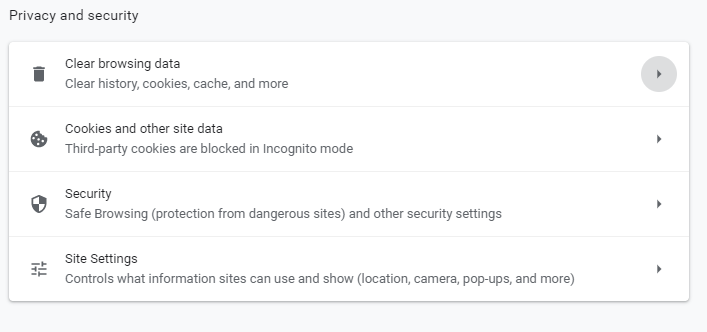
3. Click more tools. Clear browsing data.
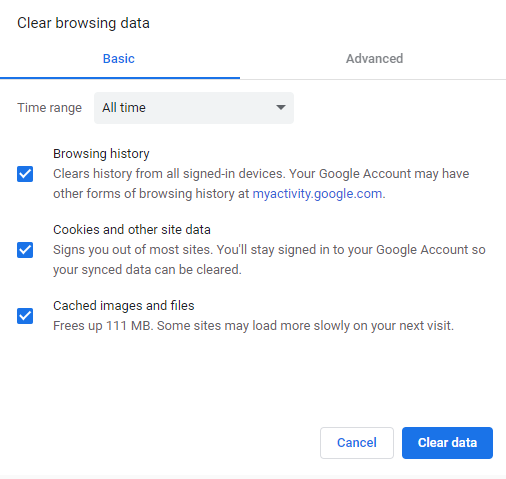
4. At the top, choose a time range. To delete everything, select All time.
5. Next to "Cookies and other site data" and "Cached images and files," check the boxes.
6. Click Clear data.
If the problem persists, please be patient and contact our Support Team. Sometimes there may be some technical issues with the server which can cause issues in loading the website.